Manage Integrations
How to Access Integration Settings
- Log in to your Shopify admin dashboard.
- In the left-hand sidebar, scroll to the Sales Channels section.
- Click Reactiv – Mobile App Builder, then select App Studio.
- Click your company logo at the top of the page and select App Settings.
- From the top menu, click Integrations.
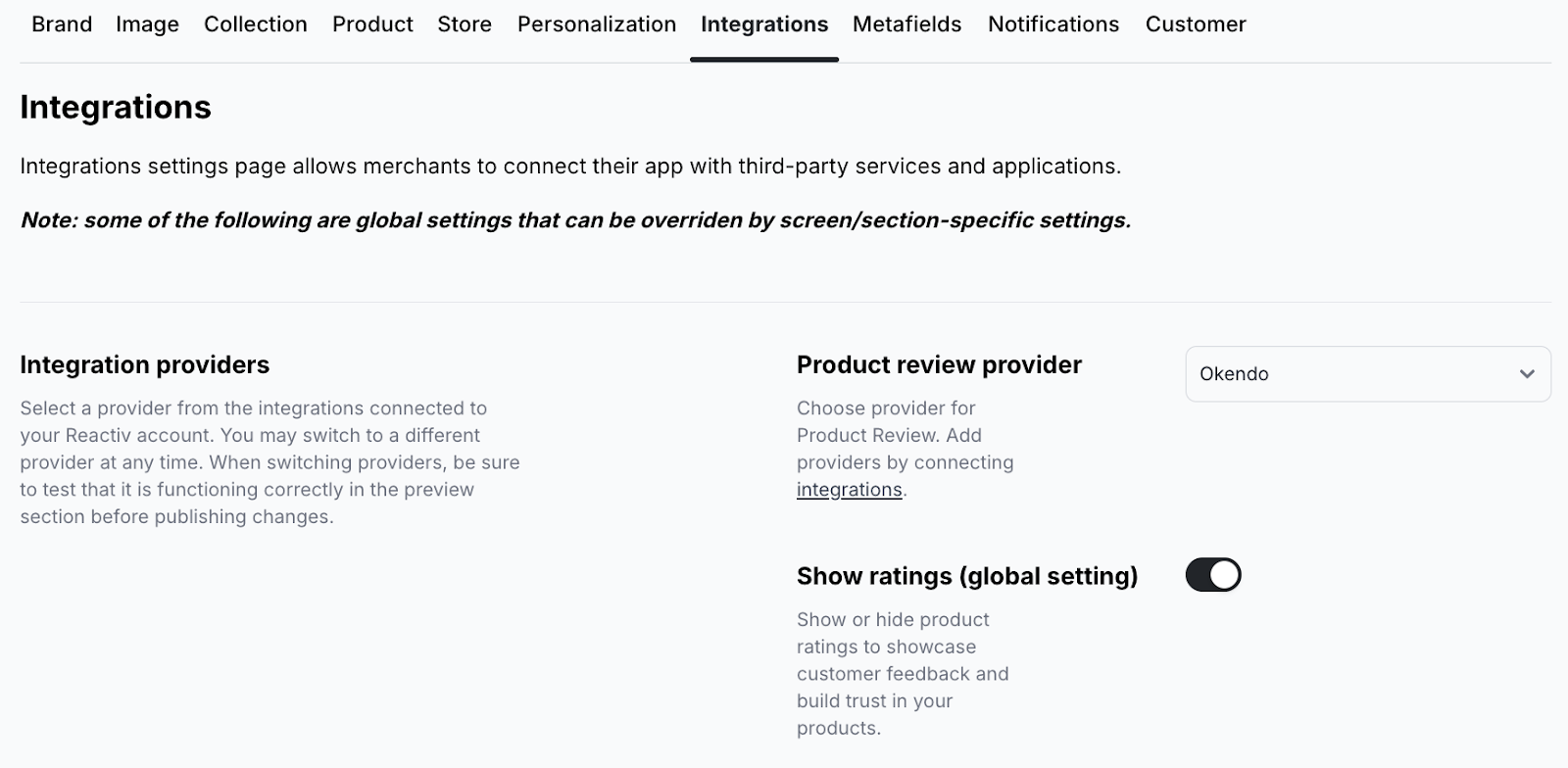
💡 To connect new services, click Integrations in the left-hand menu under Reactiv – Mobile App Builder.
Available Settings
Integration Providers
Choose a provider from the services already connected to your Reactiv account. You can switch at any time. Be sure to test changes before publishing.
Product Review Provider
Set the provider for collecting and displaying product reviews in the app.
Global Settings
- Show ratings: Toggle visibility of product star ratings.
- Show reviews: Toggle visibility of customer reviews.
Supported Integration Types
-
Chat provider: Enable in-app chat support (e.g. Gorgias, Tidio)
-
Loyalty provider: Connect loyalty rewards services
-
Autocomplete provider: Set up address autocomplete (e.g. Google Places Autocomplete)
-
Restock alerts provider: Let customers get notified when products are back in stock (e.g. Klaviyo Back In Stock)
-
Subscription provider: Enable recurring product subscriptions
-
Digital download provider: Support for digital product delivery
-
Wishlist provider: Power wishlist features (e.g. Swym Wishlist)
-
Bundles provider: Offer product bundles