Building Your App
How to Enable Blogs in Your Mobile App
What is the Blogs feature?
The Blogs feature brings your Shopify blog posts into your mobile app so shoppers can read your content without leaving the app.
Prerequisites
- You must have at least one published blog on your Shopify store
- The Blogs feature must be enabled in your Reactiv dashboard
How to enable Blogs
- Log in to the Reactiv dashboard
- Go to App Settings → Account Page -> Settings -> Blogs
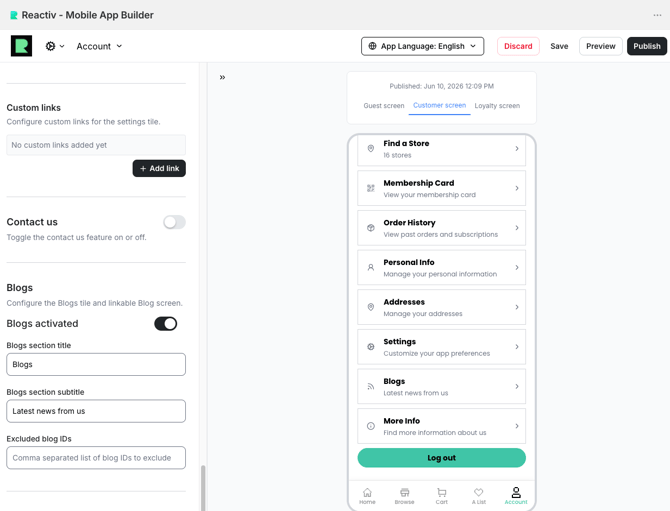
- Toggle "Enable Blogs" to ON
- (Optional) Customize the section title shown in the app
- Save your changes — no new app build is required
What shoppers see
- A "Blogs" link in the account menu page.
- A list of your recent blog posts, each showing the article image, title, a short excerpt, and how many days ago it was published
- Tapping a post opens it natively in the app, with full text and images
- A "See More" button at the bottom opens the full article on your website
Hiding specific articles
If you want to prevent certain blog articles from appearing in the app, add their Shopify article IDs to the "Excluded blog IDs" field in the dashboard, comma-separated.
Turning Blogs off
Toggle "Enable Blogs" to OFF in the dashboard. Changes take effect immediately — no new build needed.
Was this page helpful?