FAQ
✨ AI Insights (Beta)
Where to Find the Conversational Bot
- From your Reactiv dashboard, open the left-hand navigation.
- Click Insights.
- On the Insights page, click the AI Insights button in the top-left corner.
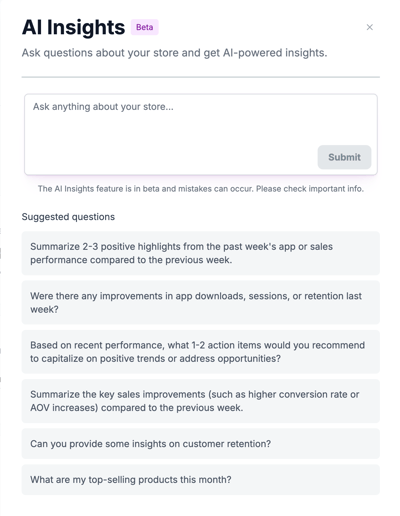
- A panel will open on the left side of your screen, showing the AI-powered chat.
How to Use the Bot
-
Type a question into the chat box.
- Example: “What should I do to improve my app installs this month?” We've set the bot up with a few starter questions to help you get started.
-
The bot will analyze your store’s data and respond with tailored insights.
-
Use the responses to guide your next business decisions.
Best Practices
- Ask actionable questions: Focus on what you want to do with your data (e.g., “How can I increase customer retention?”).
- Double-check results: Since the feature is in Beta, some answers may not be perfect. Use the insights as a guide, but validate important details.
- Experiment: Try asking different types of questions to uncover new ways to optimize your app’s performance.
Was this page helpful?